Envision.
An idea. A command. Another dimension.
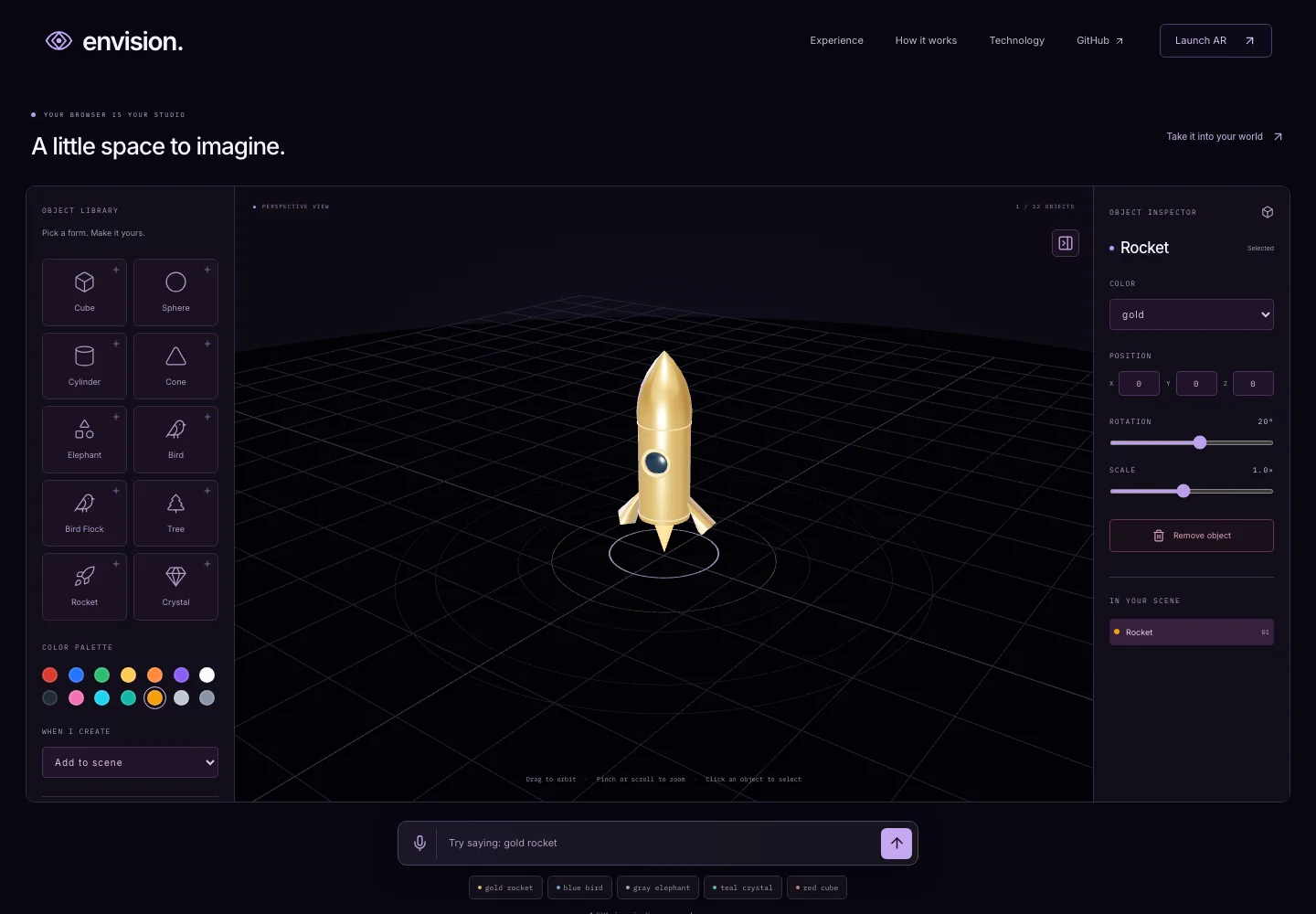
Explore a procedural 3D object library through voice and text, then take supported experiences into camera AR.
What it does.
- Ten procedural objects with supported text commands
- Camera-free 3D studio and object inspector
- Voice commands where browser speech is supported
- Separate WebXR / 8th Wall AR runtime
The problem.
Spatial experiences often begin with permissions and device constraints. Envision offers an immediate browser studio before asking a visitor to move into a camera session.
The solution.
A shared library maps supported object and color commands to procedural geometry. The camera-free studio and original VoxAR runtime use the same model vocabulary through separate entry points.
Product experience.
Try a supported command such as “gold rocket,” orbit the result, and edit selected objects in the studio. On compatible devices, launch AR deliberately and place supported objects after surface detection.
Engineering decisions.
The original AR runtime remains isolated from the React marketing and studio build. Optional speech has a text fallback. Models dispose on removal, rendering pauses offscreen, and render resolution and scene counts are bounded.
Challenges & trade-offs.
Commands select predefined procedural models; arbitrary prompts do not generate geometry. Camera AR depends on browser support, HTTPS, device capabilities and the external engine. Studio state stays in the current tab.
Clear boundaries.
Connected parts.
- 01Command parser
- 02Shared procedural models
- 03Three.js browser studio
- 04Isolated camera AR runtime
The honest edges.
Voice and camera AR depend on browser/device support. This portfolio does not claim physical-device AR verification. Previously named VoxAR.
Capabilities are grounded in repository documentation and implementation. No adoption figures or performance improvements are inferred.